
Download TSearch – Fast Torrent Search for Camino on macOS
Overview
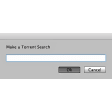
TSearch is a lightweight AppleScript designed to bring torrent‑search capabilities directly into the Camino web browser. While Camino itself has been discontinued, many power users still keep a legacy installation for its minimalist design and tight integration with macOS. TSearch fills a niche gap by eliminating the need to open a separate browser tab, type the same query into multiple torrent sites, and then copy‑paste the results back into a download manager. Instead, the script opens a compact search dialog, queries a predefined list of popular torrent indexes, and returns a simple list of links that you can click to begin a download.
The script is deliberately minimalistic: it does not attempt to rank results, filter by seed count, or display detailed file information. Its primary goal is to save you time by automating the repetitive task of searching many sites at once. Because it is written in AppleScript, users with a bit of scripting knowledge can easily add or remove torrent sources, tweak the UI, or even integrate the script with third‑party download utilities such as Transmission or Folx. The original documentation targets older versions of macOS (Tiger, Leopard), but the core logic works on modern releases like macOS Mojave, Catalina, and Big Sur with only a few naming adjustments (AppleScript Editor → Script Editor).
Security‑conscious users will appreciate that TSearch does not embed any binaries or external libraries; it merely sends HTTP GET requests to public search pages and parses the returned HTML. This makes the tool inherently safe to download from trusted sources, and because it runs locally, there is no telemetry or background data collection. If you are looking for a free, open‑source way to streamline torrent hunting inside Camino, TSearch is a solid choice that respects both privacy and simplicity.
Core Features and Extensibility
- Single‑click search dialog that launches from Camino’s toolbar.
- Simultaneous queries to multiple torrent search engines (e.g., The Pirate Bay, 1337x, Torrentz2).
- Plain‑text result list with direct links to .torrent files or magnet URLs.
- Fully editable source list – add new sites or remove outdated ones via the AppleScript editor.
- Zero‑cost, no‑ads, and completely offline execution (no background services).
- Supports macOS native AppleScript environment; no additional runtime required.
- Simple error handling that notifies the user if a site is unreachable.
While the feature set may appear modest compared to commercial torrent managers, the true power of TSearch lies in its customizability. Because the script is human‑readable, you can modify the searchSites array to include niche indexes that cater to specific content genres, such as public domain movies, Linux ISOs, or educational material. Advanced users often combine TSearch with macOS Automator workflows to automatically feed the resulting magnet links into a preferred download client, creating a seamless “search‑and‑download” pipeline without ever leaving the Camino window.
The script also respects macOS’s built‑in security model. When you first run TSearch, the system will ask for permission to control Camino and to access the network. Granting these permissions once ensures that subsequent searches execute instantly without additional prompts. For users concerned about privacy, you can disable the automatic opening of result links and instead copy the URLs to the clipboard, allowing you to review them manually before initiating a download.
In short, TSearch offers a blend of simplicity and flexibility that makes it an ideal companion for anyone who still values the clean interface of Camino while needing quick access to torrent resources. Its extensible design means the script can evolve alongside the torrent ecosystem, keeping it relevant even as individual search sites rise or fall.
Installation, Setup, and Everyday Usage
Getting TSearch up and running involves three straightforward steps: download, edit (if needed), and launch. Because the script is distributed as a plain .scpt file, you can place it anywhere on your Mac—most users store it in ~/Documents/AppleScripts/ for easy access.
- Download the script. Visit the official repository or trusted mirror, click the “Download TSearch” button, and save the
TSearch.scptfile to your preferred location. - Open with Script Editor. On macOS 10.9 (Mavericks) and later, the AppleScript editor is called “Script Editor.” Double‑click the file to open it. If you are on an older OS (Snow Leopard or earlier), look for “AppleScript Editor.”
- Review the source list. Inside the script, locate the
searchSitesarray. By default it contains a handful of well‑known torrent indexes. Add or remove entries as you see fit, using the same URL pattern (e.g.,https://example.com/search?q=). - Save and run. Press the ▶️ “Run” button in Script Editor. The first time you execute the script, macOS will prompt you to allow network access and control of Camino. Accept these permissions.
- Integrate with Camino. With Camino open, go to the “Bookmarks” menu, choose “Add Bookmark,” and set the URL to
javascript:void(0);. Then, in the bookmark’s “Location” field, paste the following AppleScript command:osascript /path/to/TSearch.scpt
This creates a clickable toolbar button that launches the TSearch dialog whenever you need it.
Once installed, using TSearch is as simple as clicking the newly added toolbar icon, typing a keyword (e.g., “Ubuntu 22.04”), and hitting Enter. The script opens a modest window listing each torrent site’s first result. Clicking a link will either start the download directly (if your default handler is a torrent client) or open the site’s page in Camino for further inspection.
For power users, you can bind the script to a keyboard shortcut using macOS’s System Preferences → Keyboard → Shortcuts, creating an even faster workflow. Additionally, by enabling “Copy URL to Clipboard” in the script’s settings, you can pipe the result into any external downloader without leaving the browser.
Troubleshooting tips: if the search window fails to appear, verify that Camino is running and that the script’s file path is correct. If a particular site no longer returns results, edit the searchSites array to replace the outdated URL. Because the script relies on the public HTML of each site, occasional changes in site structure may require minor adjustments to the parsing logic—something any user comfortable with AppleScript can handle.
Compatibility, Pros & Cons
TSearch was built for macOS and works with any version that still supports the legacy Camino browser (up to macOS 10.15 Catalina). The script itself runs under the native AppleScript environment, meaning no additional runtimes or third‑party libraries are required. While Camino is no longer officially maintained, it can be run on modern macOS installations via community‑maintained builds or legacy compatibility modes. Users on Windows, Linux, or iOS cannot use TSearch directly because it depends on macOS‑specific scripting APIs.
Pros
- Free and open‑source – no hidden fees or subscription model.
- Runs locally, preserving privacy and eliminating telemetry.
- Highly customizable – add or remove torrent sources with a simple edit.
- Lightweight – negligible CPU or memory usage.
- Seamless integration with Camino’s UI for a unified browsing experience.
Cons
- Requires the discontinued Camino browser; not suitable for users who prefer Chrome, Safari, or Firefox.
- Limited result refinement – no sorting by seeders, file size, or quality.
- Relies on the HTML structure of external sites; occasional breakage if a site changes its layout.
- Mac‑only – no native Windows or Linux version.
- Basic UI; lacks modern styling or dark‑mode support.
Overall, TSearch shines for a specific audience: macOS power users who still enjoy Camino’s minimalism and need a quick way to query multiple torrent indexes without opening separate tabs. If you fall outside this niche, the cons may outweigh the benefits, and a more feature‑rich torrent client or browser extension could be a better fit.
Frequently Asked Questions & Final Thoughts
Do I need an active internet connection for TSearch to work?
Yes. TSearch sends HTTP requests to external torrent search sites, so a stable internet connection is required for each query.
Can I use TSearch with a different browser besides Camino?
The script is tightly coupled with Camino’s AppleScript hooks, so it cannot be directly used with Safari, Chrome, or Firefox. However, you could adapt the AppleScript to call a generic web browser via the open location command, but that would require custom scripting.
Is TSearch safe from malware or adware?
Yes. TSearch is a pure AppleScript file without any embedded executables. It only fetches public HTML pages, so there is no risk of bundled malware. Always download it from a reputable source to avoid tampered versions.
How can I add a new torrent site to the search list?
Open the TSearch.scpt file in Script Editor, locate the searchSites array near the top of the script, and add a new string in the format "https://newsite.com/search?q=". Save the script and re‑run it; the new site will be queried automatically.
Will TSearch work on the latest macOS versions (Monterey, Ventura)?
It works on macOS up to Catalina where Camino can still run. On Monterey and Ventura, you may need to run Camino via a legacy‑compatibility wrapper or use a community‑maintained build. The AppleScript itself runs fine on any modern macOS.
Conclusion – Should You Download TSearch?
If you cherish the simplicity of the Camino browser and want a free, privacy‑first way to query multiple torrent sites without juggling tabs, TSearch delivers exactly that. Its straightforward installation, extensible source list, and zero‑cost nature make it a compelling addition to any macOS power‑user toolkit. While the reliance on an older browser and the lack of advanced filtering may deter mainstream users, the script’s open‑source design invites customization for those willing to tweak it.
Ready to streamline your torrent searches? Download TSearch now and experience a faster, more integrated browsing workflow. Remember to keep your Camino installation up to date, review the source list regularly, and enjoy the convenience of a single‑click search—secure, free, and entirely under your control.







